Web Interface
Skill Engine includes a built-in web interface for browsing skills, testing tools, and exploring the API - all embedded in the binary.
Starting the Web Interface
# Start on default port (3000)
skill web

# Start on custom port
skill web --port 8080

# Listen on all interfaces (access from network)
skill web --host 0.0.0.0

# Auto-open browser
skill web --open
Access at: http://localhost:3000
Screenshots
Dashboard
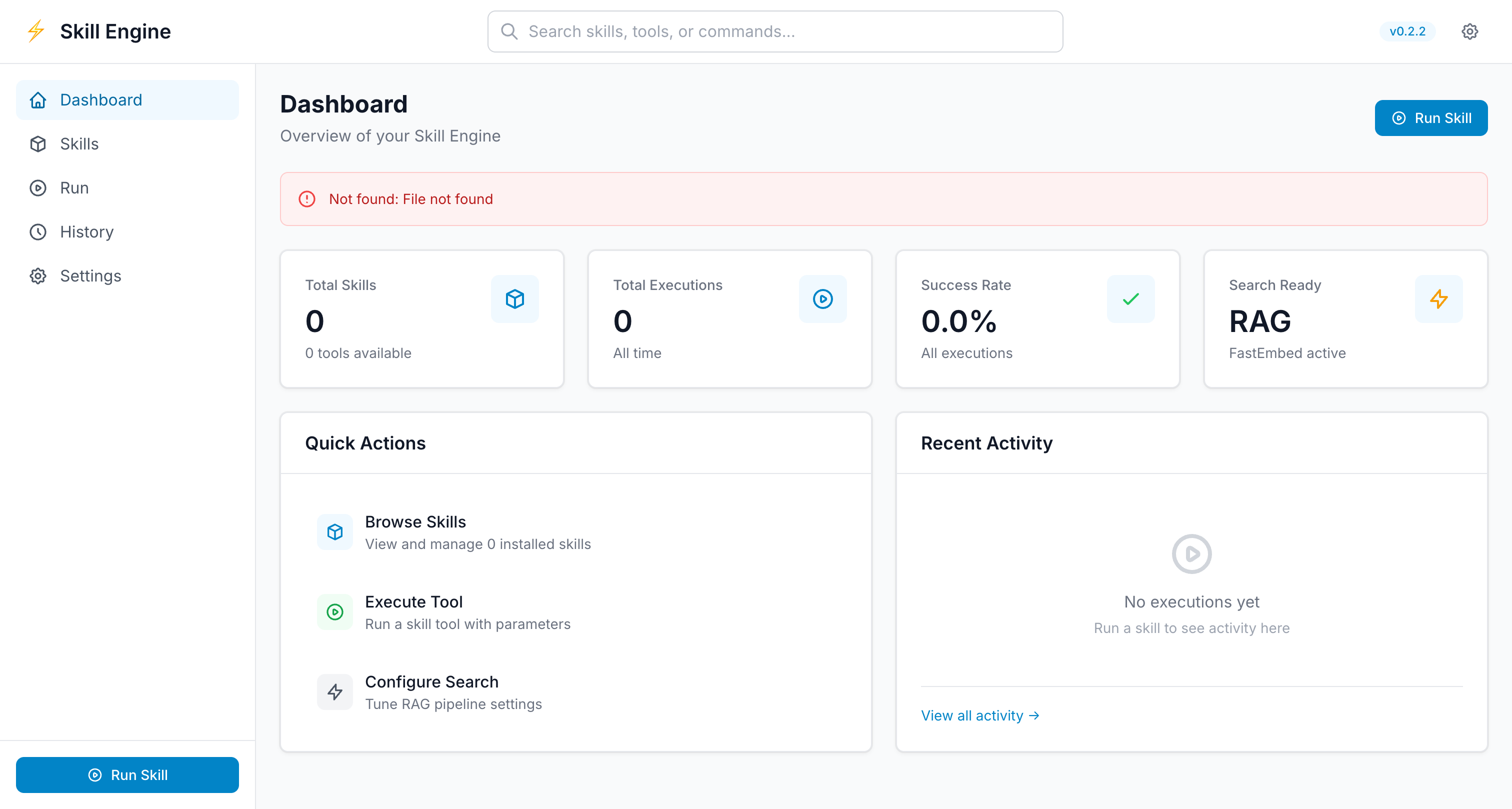
Overview of all installed skills with quick actions and recent activity.
Skills Browser

Search, filter, and manage installed skills with detailed information.
Tool Execution
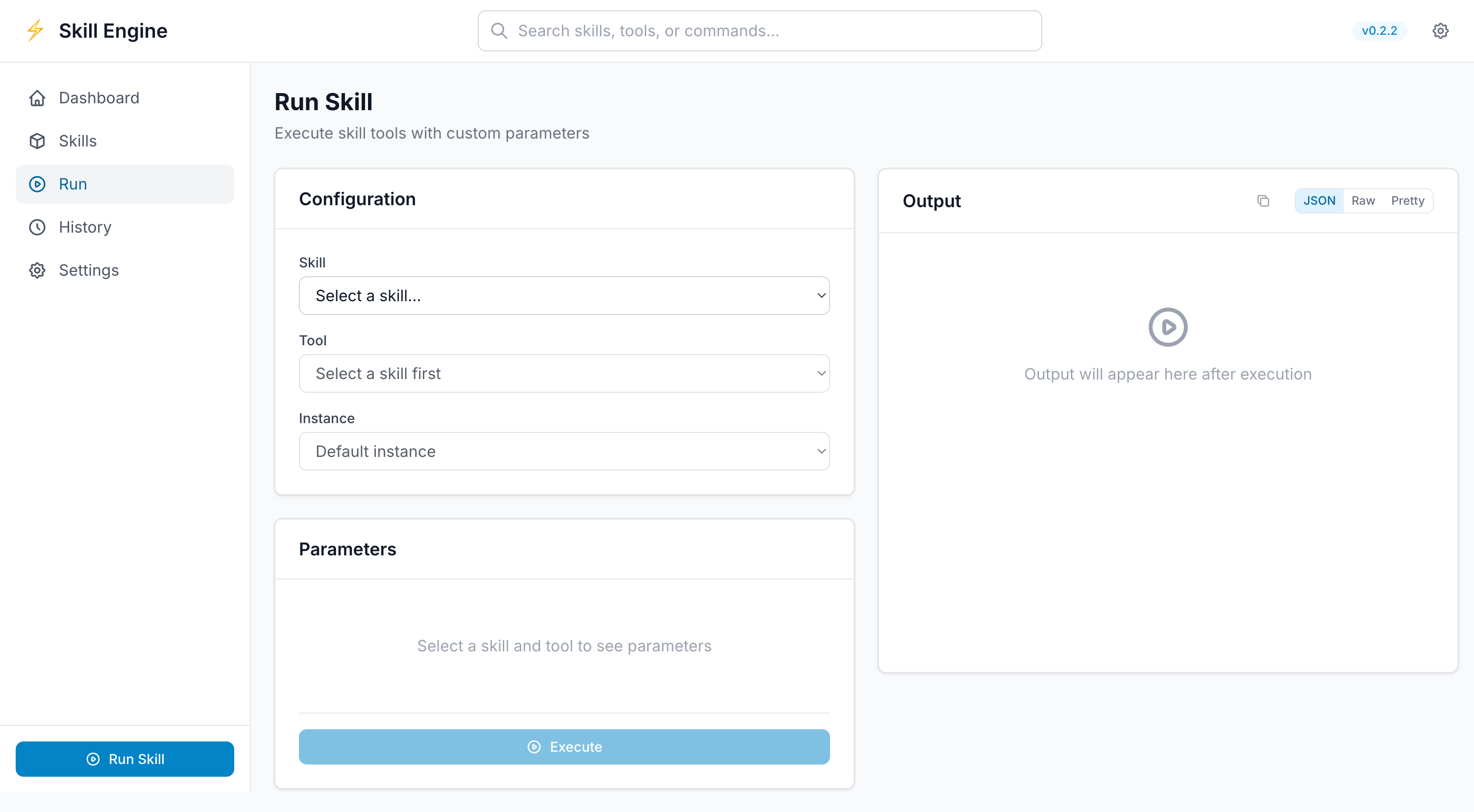
Execute skill tools with dynamic parameter forms and real-time output.
Settings
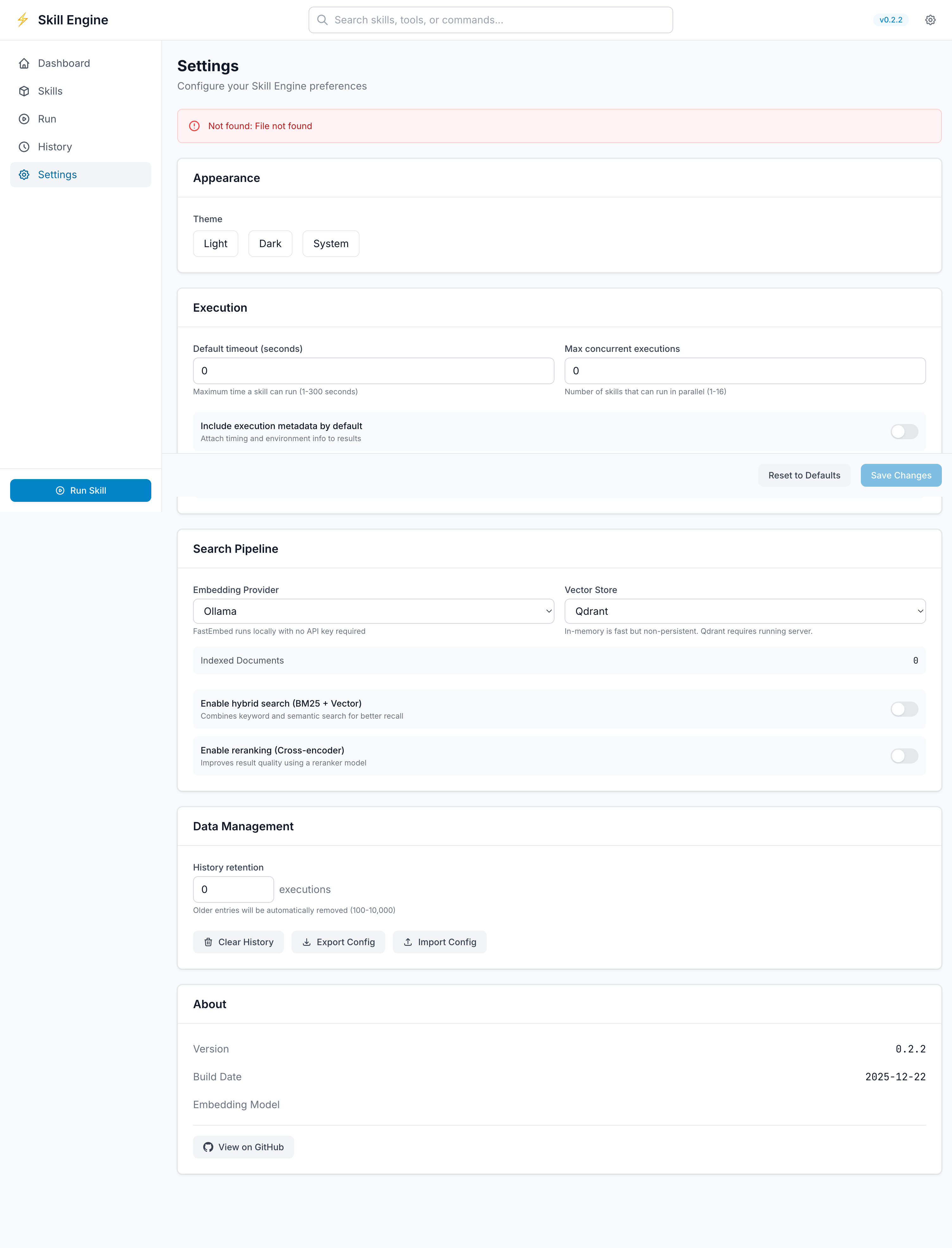
Configure search pipeline, execution preferences, and system settings.
Features
Skill Browser
Browse all installed skills with search and filtering:
- Search: Find skills by name or description
- Filter by runtime: WASM, Docker, Native
- Filter by category: DevOps, Cloud, Development, etc.
- Skill details: View all tools, parameters, and examples
Interactive Tool Tester
Test any tool directly from the browser:
- Select a skill
- Choose a tool
- Fill in parameters (with validation)
- Click "Run"
- See results in real-time
Features:
- Parameter autocomplete
- Validation before execution
- JSON/YAML output formatting
- Copy results to clipboard
- Execution history
API Explorer
Interactive API documentation (Swagger UI):
- Browse all REST API endpoints
- Try endpoints directly in the browser
- View request/response schemas
- See example requests and responses
- Generate code snippets (curl, Python, JavaScript)
Access at: http://localhost:3000/docs/api
Skill Search
Semantic search powered by vectorization:
- Enter natural language query: "list kubernetes pods"
- Get ranked tool suggestions
- Click to run with pre-filled parameters
Execution History
View past tool executions:
- Timestamp and duration
- Parameters used
- Output/results
- Success/failure status
- Re-run with same parameters
Configuration Manager
Manage skill configurations:
- View/edit
.skill-engine.toml - Create new instances
- Update environment variables
- Test configuration changes
Use Cases
1. Skill Development
Test your skill while developing:
# Terminal 1: Start web interface
skill web

# Terminal 2: Edit your skill
cd my-skill/
vim tools/mytool.sh

# Browser: Test immediately without restarting
2. Team Collaboration
Share running instance with team:
# Start on network-accessible interface
skill web --host 0.0.0.0 --port 8080

# Team members access at:
# http://your-ip:8080
3. API Integration Testing
Test REST API before integrating:
skill web
# Open http://localhost:3000/docs/api
# Try API calls interactively
4. Skill Discovery
Find the right tool for your task:
- Open web interface
- Use search: "convert video to mp4"
- Discover ffmpeg skill with convert tool
- Test it directly in the browser
Configuration
Custom Port
# Use port 8080
skill web --port 8080
Network Access
# Listen on all interfaces
skill web --host 0.0.0.0

# Access from network:
# http://<your-ip>:3000
With Specific Manifest
# Use custom manifest
skill web --manifest /path/to/.skill-engine.toml
API Endpoints
The web interface exposes a REST API:
List Skills
curl http://localhost:3000/api/skillsResponse:
{
  "skills": [
    {
      "name": "kubernetes",
      "version": "1.0.0",
      "runtime": "native",
      "description": "Kubernetes cluster management",
      "tools": ["get", "logs", "describe"]
    }
  ]
}
Execute Tool
curl -X POST http://localhost:3000/api/execute \
  -H "Content-Type: application/json" \
  -d '{
    "skill_name": "kubernetes",
    "tool_name": "get",
    "parameters": {
      "resource": "pods",
      "namespace": "default"
    }
  }'
Search Tools
curl -X POST http://localhost:3000/api/search \
  -H "Content-Type: application/json" \
  -d '{
    "query": "list kubernetes pods",
    "top_k": 5
  }'
See REST API Reference for complete API documentation.
Embedding in Applications
iframe Embedding
<!-- Embed skill browser -->
<iframe
  src="http://localhost:3000/skills"
  width="100%"
  height="600">
</iframe>

<!-- Embed specific tool -->
<iframe
  src="http://localhost:3000/skills/kubernetes/tools/get"
  width="100%"
  height="400">
</iframe>
API Integration
Use the REST API to integrate Skill Engine into your applications:
// List available skills
const response = await fetch('http://localhost:3000/api/skills');
const skills = await response.json();

// Execute a tool
const result = await fetch('http://localhost:3000/api/execute', {
  method: 'POST',
  headers: { 'Content-Type': 'application/json' },
  body: JSON.stringify({
    skill_name: 'kubernetes',
    tool_name: 'get',
    parameters: { resource: 'pods' }
  })
});

const output = await result.json();
console.log(output);
Security Considerations
Local Development
Default configuration is safe for local development:
# Only accessible from localhost
skill web --host 127.0.0.1
Network Deployment
When exposing to network, add security:
Option 1: Reverse Proxy with Authentication
server {
  listen 443 ssl;
  server_name skills.example.com;

  # Basic auth
  auth_basic "Skill Engine";
  auth_basic_user_file /etc/nginx/.htpasswd;

  location / {
    proxy_pass http://localhost:3000;
  }
}
Option 2: SSH Tunnel
# On remote server
skill web

# On local machine
ssh -L 3000:localhost:3000 user@remote-server

# Access at http://localhost:3000
Option 3: VPN Access
Run Skill Engine on private network, access via VPN only.
Troubleshooting
Port Already in Use
# Error: Port 3000 already in use

# Use different port
skill web --port 8080
Can't Access from Network
# Wrong - only localhost
skill web

# Correct - all interfaces
skill web --host 0.0.0.0
Slow Performance
# Check if too many skills loaded
skill list | wc -l

# Use specific manifest with fewer skills
skill web --manifest ./project-manifest.toml
Web UI Not Loading
# Check if server is running
curl http://localhost:3000/api/health

# Check logs
skill web 2>&1 | tee skill-web.log
Advanced Usage
Running as Service
systemd (Linux):
[Unit]
Description=Skill Engine Web Interface
After=network.target

[Service]
Type=simple
User=skilluser
ExecStart=/usr/local/bin/skill web --port 3000
Restart=always

[Install]
WantedBy=multi-user.target
launchd (macOS):
<?xml version="1.0" encoding="UTF-8"?>
<!DOCTYPE plist PUBLIC "-//Apple//DTD PLIST 1.0//EN" "http://www.apple.com/DTDs/PropertyList-1.0.dtd">
<plist version="1.0">
<dict>
    <key>Label</key>
    <string>com.skillengine.web</string>
    <key>ProgramArguments</key>
    <array>
        <string>/usr/local/bin/skill</string>
        <string>web</string>
    </array>
    <key>RunAtLoad</key>
    <true/>
    <key>KeepAlive</key>
    <true/>
</dict>
</plist>
Docker Deployment
FROM alpine:latest

# Install Skill Engine
RUN apk add --no-cache curl && \
    curl -fsSL https://dqkbk9o7ynwhxfjx.public.blob.vercel-storage.com/install.sh | sh

# Copy skills
COPY .skill-engine.toml /app/
WORKDIR /app

# Expose port
EXPOSE 3000

# Start web interface
CMD ["/root/.skill-engine/bin/skill", "web", "--host", "0.0.0.0"]
Run:
docker build -t skill-web .
docker run -p 3000:3000 skill-web
Next Steps
- REST API Reference - Complete API documentation
- MCP Protocol - Alternative programmatic access
- Security Model - Security best practices
- Skill Development - Test skills with web UI